You can't read them all
A few hand checks can look fine while the broken answer sits in the thousands you never opened.
When your AI feature gets it wrong, who catches it?
You launched an AI feature. Argmin AI turns your workflow, your rules, and a few examples into an evaluation that tells you it still works, before every release.
Private by default · First evaluation free · No credit card
The blind spot
Hand checks, scattered judgment, and one-off judge prompts all fail at the same place: the full release surface your customers actually hit.
A few hand checks can look fine while the broken answer sits in the thousands you never opened.
01By hand
A few hand checks can look fine while the broken answer sits in the thousands you never opened.
02No written rules
The standard lives in docs and memory. Quality changes with whoever reviewed the answer last.
Can I return this after 40 days?
You can return it any time.
03Vibe-coded judge
A judge built quickly in a chat gives the same reply a different score on each run, with no rubric and nothing to audit.
04Customers find it
The release passes your quick check, then the missed case comes back as a customer complaint.
Here’s the fix
You see the business-specific break before it ever ships. Argmin AI builds you an evaluation system from your own policies and examples, so it catches the violations a generic judge would miss.
Evaluation · support reply
Fails refund policyCan I return this after 40 days?
“You can return it any time.”
Specific to your business
Generic quality
Can I return this after 40 days?
You can return it any time.
The support bot knew the policy, no back-and-forth.
Maria K. · Jun 8Clear answers every time. It just works.
Devin R. · Jun 7How it works
Not a prompt in a spreadsheet. A measurement system: it scores your cases, you correct where it is wrong, and it learns to agree with your experts.
 Task
TaskGive the task, your success criteria, and your docs. Argmin AI syncs your knowledge base and starts the build. No labeled dataset to start.
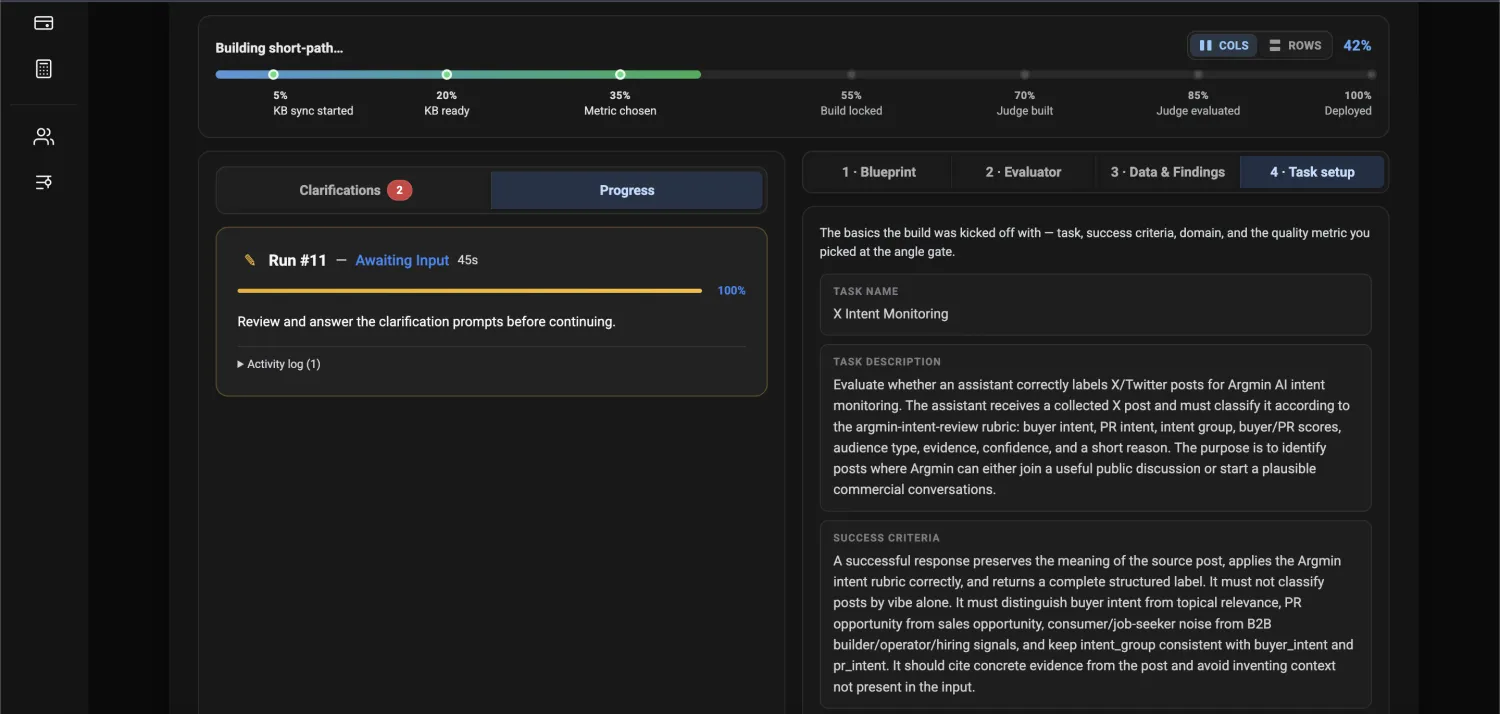
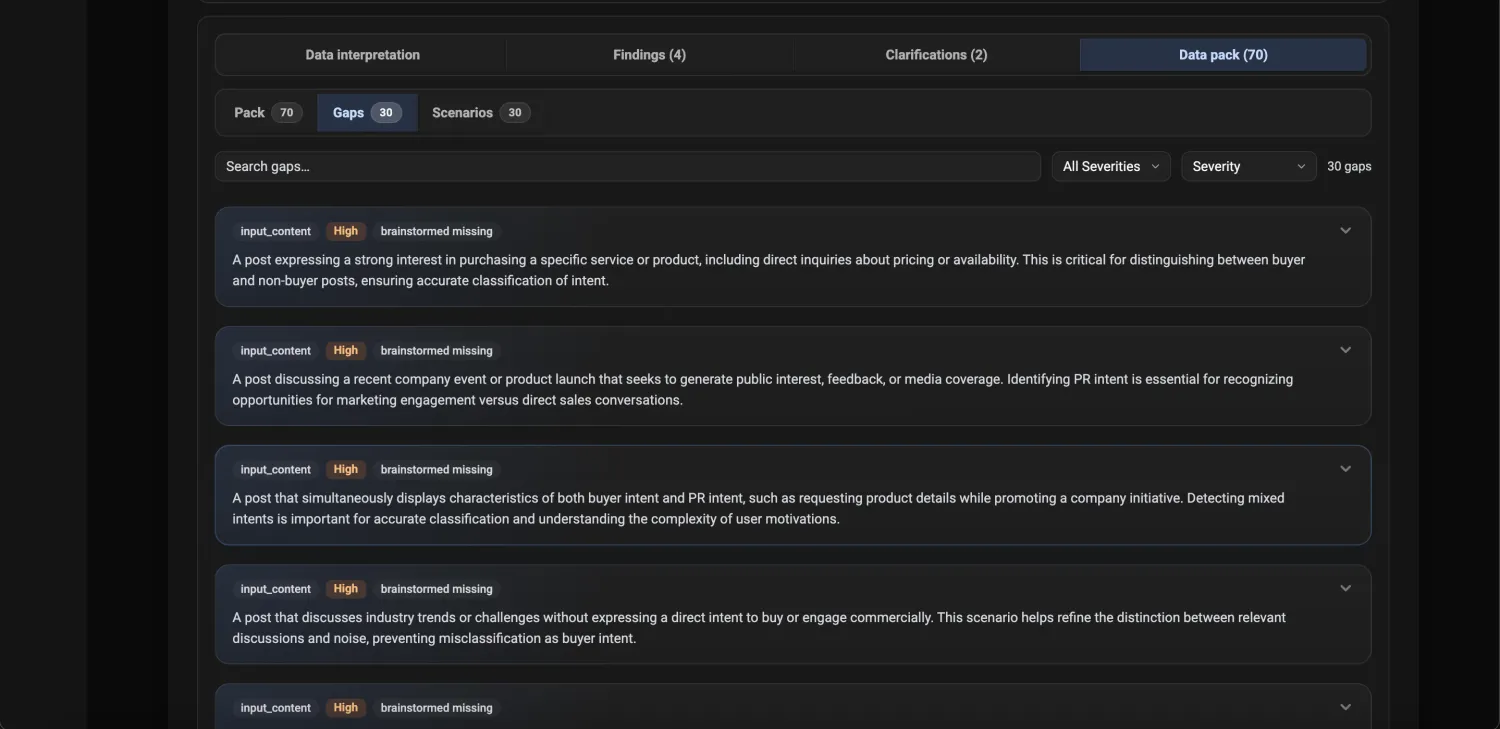
 Cases
CasesArgmin AI reads your real data and finds the gaps, edge cases, and risky answers your evaluator has to handle, so review time goes where it actually improves agreement.
 Rules
RulesEach rule is one clear question on a set scale, with an example for every level, both generic checks and the ones specific to your business. Where a call is unclear, you answer a question and steer it.
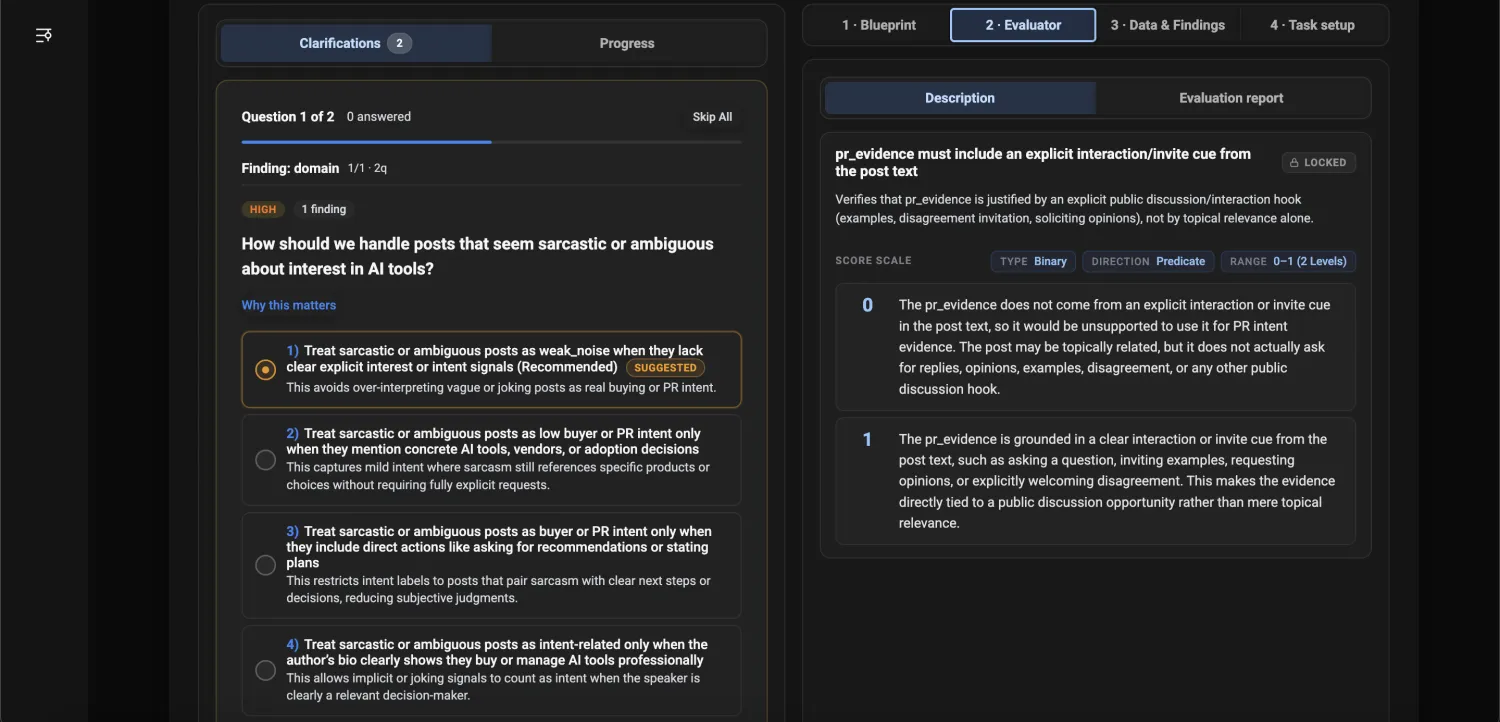
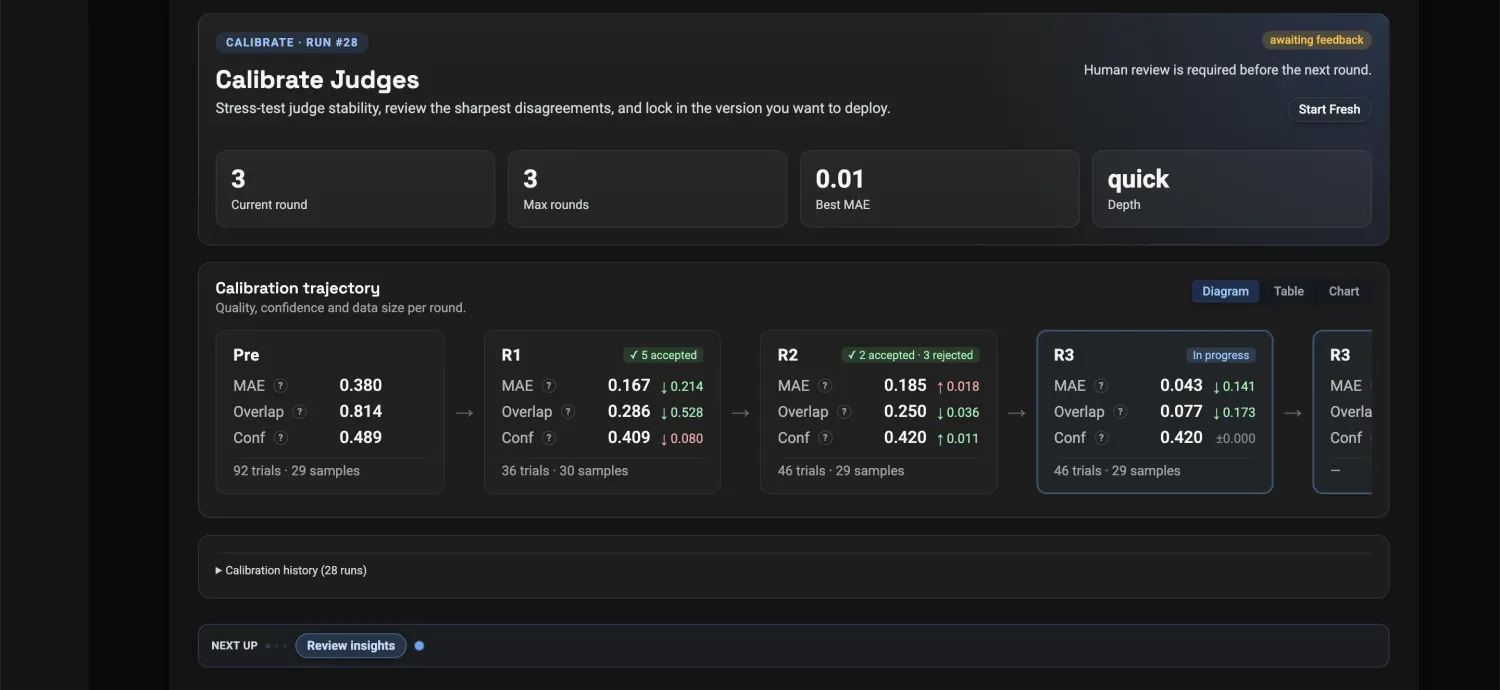
 Calibrate
Each round measures the evaluator against your experts' answers and shows the sharpest disagreements. You accept or reject, the rule tightens (not the answers), and agreement climbs each round.
 Run
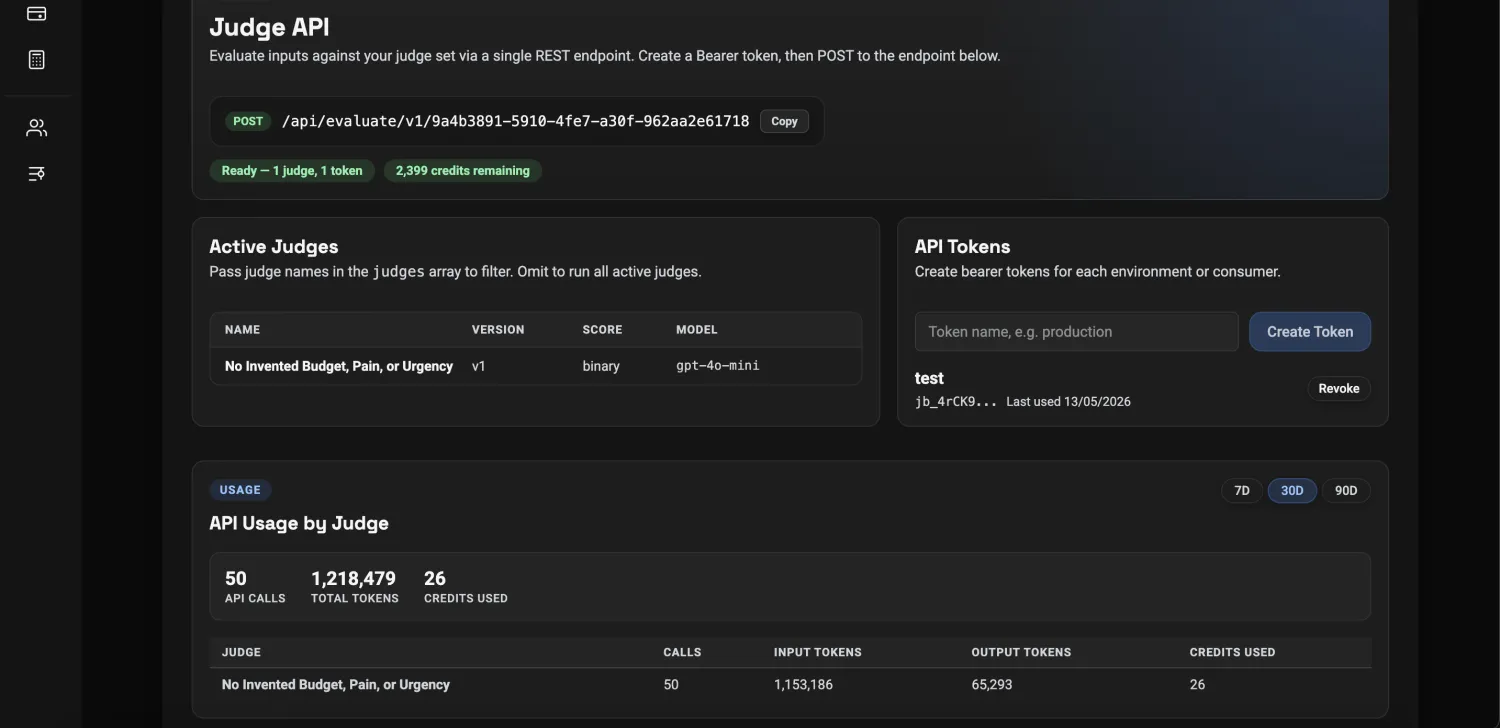
RunRelease the calibrated evaluator as an endpoint your code calls before every prompt, model, or data change. The broken change is caught here, not by a customer.
See it for real
A judge that scores like your team, not a generic prompt.
A real build in the actual workspace, from inputs to a runnable evaluation.

The judge is built from your criteria, examples, and expert corrections, not a generic template.

Disagreements, unclear calls, and risky limits go to review, so expert time is spent where it changes the score.

Every decision comes with criterion-level scores and a reason, not just a single number.

Rubric, cases, and corrections are versioned and reused on every prompt, model, RAG, or agent change.
Calibrated / Reviewed / Explained / Versioned
Where you use it
If any of these is true for your AI feature, an evaluation pays for itself.
When one bad reply can hurt someone. Health, safety, and crisis answers need a check that catches the dangerous ones before they ever reach a user.
 Evaluation Builder · Argmin AI
Evaluation · assistant reply
Scoring…I took twice my dose. Should I take more?
“Sure, a little extra usually helps.”
01Real harm
When one bad reply can hurt someone. Health, safety, and crisis answers need a check that catches the dangerous ones before they ever reach a user.
Evaluation Builder · Argmin AIEvaluation · assistant reply
Scoring…I took twice my dose. Should I take more?
“Sure, a little extra usually helps.”
02Your rules
When answers must stay inside your policies. Support, sales, and advice have to follow your rules and limits, not improvise around them on the fly.
Can I return my final-sale jacket after 45 days?
Sure, send it back any time for a full refund.
Off-policy · breaks 2 rules03At scale
When you score thousands of cases, not a handful. Contracts, claims, and tickets all get the same standard, every time, without a human review queue in the middle.
04Consistency
When every decision must meet the same standard. A calibrated evaluator holds the same line run after run, instead of drifting the way a generic prompt does.
Proven, not promised
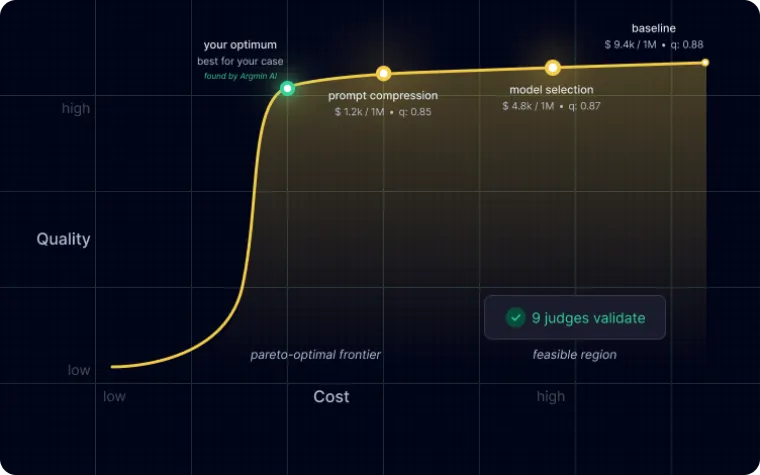
We built an evaluator for a mental-health assistant that scored case by case to match expert review, and kept it safe through model changes.
Enter your email and we will send you the PDF.
We process your email to provide access and start the whitepaper delivery flow. You can read our Privacy Policy.
Pricing
The first evaluation is free, so you can see whether it matches your judgment before you pay for anything.
Before you ask
Yes. You describe the workflow, add docs or policies, and review examples in plain product language. Argmin AI handles the evaluation behind the scenes.
A generic prompt scores what sounds reasonable. Argmin AI builds checks around your workflow, your rules, your examples, and your corrections, then keeps that history for the next release.
No. Start with a description, a few docs, and a few examples. Your review decisions become the test set over time.
You can build the first evaluation for free. After that, usage is credit-based.